피그마 잠깐 팁
Inspect에서 표기한 프레임을 누를 경우 밑의 CSS나 Andriod등 스타일 간격이 나온다!!피그마로 와이어 프레임을 짰다면 참고하자.
#오늘의 오류
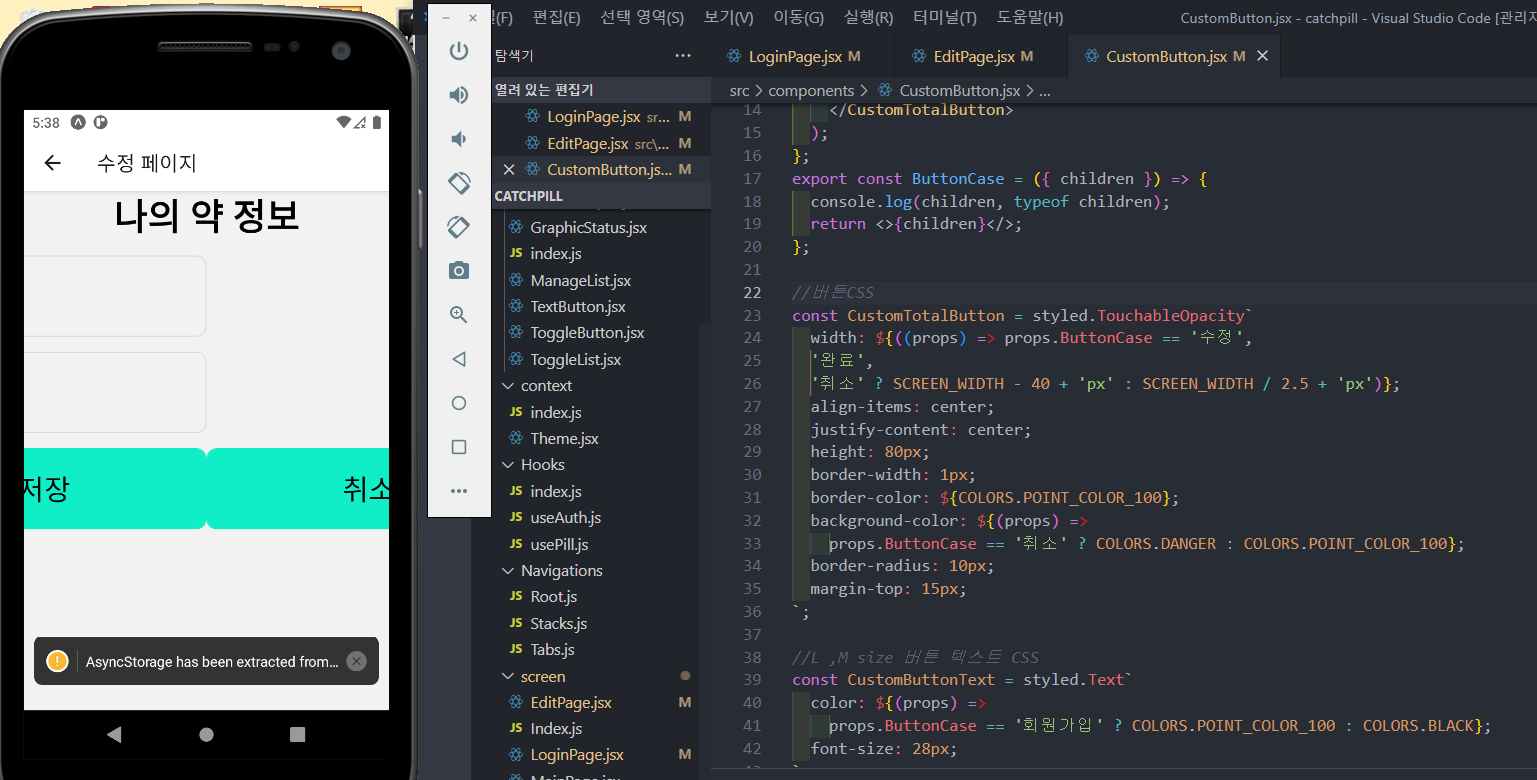
버튼은 props로 받아 삼항연산자로 색깔을 나누려 했지만..적용이 안됐다....피드백으로 이유를 찾아보자..
import styled from '@emotion/native';
import { useState } from 'react';
import { Dimensions, View } from 'react-native';
import { COLORS } from '../shared/color';

const { width: SCREEN_WIDTH, height: SCREEN_HEIGHT } = Dimensions.get('window');
//커스텀버튼
export const CustomButton = ({ onPress, children, disabled, ref }) => {
  return (
    <CustomTotalButton onPress={onPress} disabled={disabled} ref={ref}>
      <CustomButtonText>
        <ButtonCase children={children} />
      </CustomButtonText>
    </CustomTotalButton>
  );
};
export const ButtonCase = ({ children }) => {
  console.log(children, typeof children);
  return <>{children}</>;
};

//버튼CSS
const CustomTotalButton = styled.TouchableOpacity`
  width: ${((props) => props.ButtonCase == '수정',
  '완료',
  '취소' ? SCREEN_WIDTH - 40 + 'px' : SCREEN_WIDTH / 2.5 + 'px')};
  align-items: center;
  justify-content: center;
  height: 80px;
  border-width: 1px;
  border-color: ${COLORS.POINT_COLOR_100};
  background-color: ${(props) =>
    props.ButtonCase == '취소' ? COLORS.DANGER : COLORS.POINT_COLOR_100};
  border-radius: 10px;
  margin-top: 15px;
`;

//L ,M size 버튼 텍스트 CSS
const CustomButtonText = styled.Text`
  color: ${(props) =>
    props.ButtonCase == '회원가입' ? COLORS.POINT_COLOR_100 : COLORS.BLACK};
  font-size: 28px;
`;
피드백
버튼 컴포넌트를 작업 중 if 버튼의 텍스트가
함수 컴포넌트로 작업하는게 나을까.....하나의 함수로 만들고 그것을 touch로 감싸기
만약 받아온다면 onpress의 children의 값을 가져온것
한다면?props받고... children에 똑같은 변수를 2번 넣는다..
npx expo start --offline : 실행하면 게스트로 로그인이 가능하다.
'[내일배움캠프] > TIL' 카테고리의 다른 글
| 23.01.12) React native프로젝트 마무리작업한 54일차 (0) | 2023.01.12 |
|---|---|
| 23.01.11) React native프로젝트 버튼컴포넌트를 작업한 53일차 (0) | 2023.01.11 |
| 23.01.09) React native프로젝트 loginpage를 작업한) 51일차 (0) | 2023.01.09 |
| 23.01.06) React native프로젝트를 진행한 50일차 (0) | 2023.01.06 |
| 23.01.05) React native 심화를 배운 49일차 (0) | 2023.01.05 |


